
使用minio和nginx搭建静态网站
利用minio和nginx快速搭建静态网站
1. docker-compose.yml
编写docker-compose配置文件,添加minio和nginx服务。
version: '3.9'services: web-server: image: nginx restart: always ports: - “8888:80” volumes:
- ./nginx.conf:/etc/nginx/nginx.conf:ro
minio-server: image: minio/minio:latest restart: always environment: MINIO_ROOT_USER: minio MINIO_ROOT_PASSWORD: minio123 command: server /data —console-address “:9001” ports: - “9000:9000” - “9001:9001” volumes: - ./data:/data
2. nginx设置反向代理
为nginx.conf添加反向代理
server { listen 80; server_name localhost;rewrite ^/$ /index.html last; location / { proxy_pass http://minio-server:9000/mysite/; } }
完整nginx.conf(基于nginx docker镜像中的nginx.conf文件修改)
user nginx; worker_processes auto;error_log /var/log/nginx/error.log notice; pid /var/run/nginx.pid;
events { worker_connections 1024; }
http { include /etc/nginx/mime.types; default_type application/octet-stream;
log_format main '$remote_addr - $remote_user [$time_local] "$request" ' '$status $body_bytes_sent "$http_referer" ' '"$http_user_agent" "$http_x_forwarded_for"'; access_log /var/log/nginx/access.log main; sendfile on; #tcp_nopush on; keepalive_timeout 65; #gzip on; ## include /etc/nginx/conf.d/*.conf; server { listen 80; server_name localhost; rewrite ^/$ /index.html last; location / { proxy_pass http://minio-server:9000/mysite/; } }}
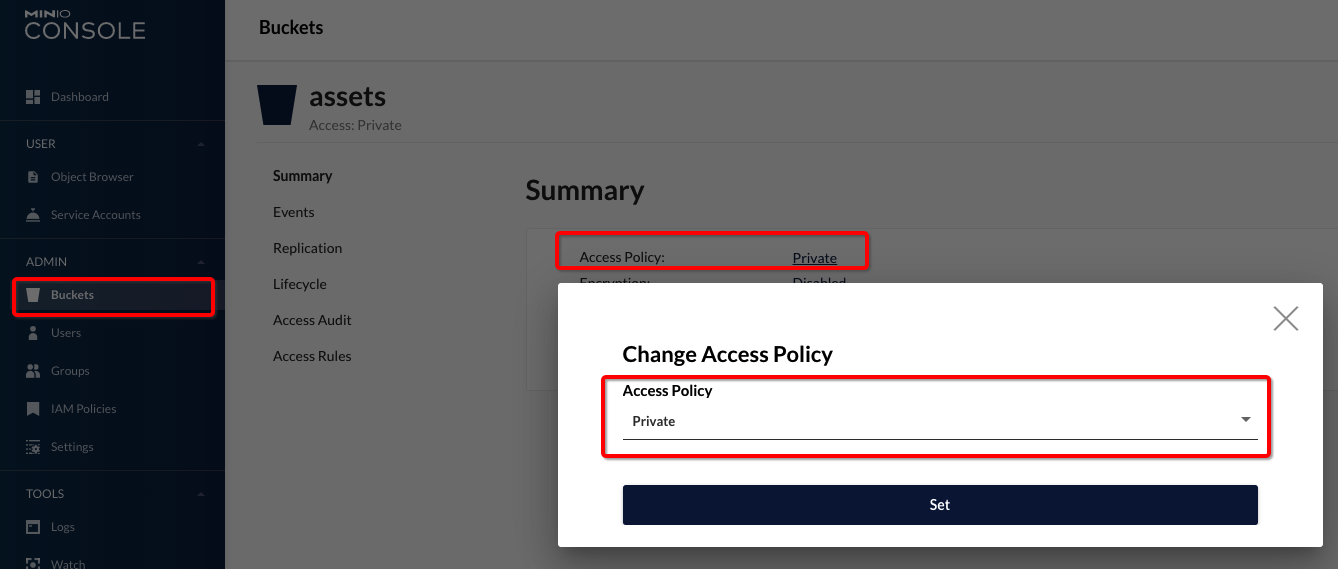
3. minio设置公开访问
完成。